Fingerprint smart locks are attractive because they remove one daily frustration: looking for keys. For Pampanga homeowners, however, the best smart lock is not simply the one with the most access methods or the sleekest keypad. It is the lock that fits the door, matches the household routine, has a clear backup plan, and is installed cleanly enough to stay reliable.
Smart Locks Pampanga’s existing guides already warn homeowners that installation quality, door requirements, app features, battery care, and after-sales support all matter. This buyer’s guide builds on that idea and focuses specifically on fingerprint smart locks for homes, townhouses, condos, rentals, and family properties in Pampanga.
Start With The Door, Not The Gadget
A fingerprint lock can only perform well if the door is suitable. Before choosing a model, check the door material, thickness, frame alignment, existing deadbolt or mortise position, handle direction, weather exposure, and whether the door closes smoothly without force. A lock installed on a warped or poorly aligned door may feel unreliable even when the device itself is good.
This is one reason professional site checking matters. A trained installer can tell whether the existing cutout can be reused, whether the frame needs adjustment, and whether a specific lock style fits the door. Buying online first and checking compatibility later can lead to extra work, visible patching, or a lock that never feels right.
Match Access Methods To Household Life
Fingerprint access is convenient, but it should not be the only way into the home. A practical lock usually combines several options such as fingerprint, PIN, RFID card, mobile app, and mechanical key backup. The right mix depends on who uses the door.
For a family home, fingerprints may work well for parents and older children, while PIN codes or RFID cards may be easier for helpers, relatives, or occasional visitors. For a condo or rental unit, temporary codes may matter more than enrolling many fingerprints. For elderly users, the lock should be easy to read, grip, and operate without confusing menus.
Think About Backup Entry Before You Need It
Every smart lock plan should answer one uncomfortable question: what happens if the battery is low, the app is unavailable, a registered finger is wet, or someone forgets the PIN? A good handover should show the homeowner how low-battery warnings appear, how emergency power works if supported, where mechanical keys are stored, and who can reset or manage access.
Do not treat backup keys casually. Keep them somewhere secure and accessible to a trusted person, not inside the locked home. If the property is rented or used by many people, document who has admin access and how old codes or users are removed.
Compare Security Features Without Chasing Hype
Smart locks often advertise many features, but homeowners should focus on practical security. Ask whether the lock supports strong PIN practices, temporary or one-time codes where needed, auto-lock settings, access logs if app-connected, tamper alerts, and privacy modes. More features are useful only when the household understands them.
Avoid unsupported claims that any lock is impossible to bypass. Door security is a system. The lock, frame, hinges, door material, lighting, CCTV, gate control, and user habits all contribute. A fingerprint smart lock improves access control, but it should be part of a broader home security plan rather than a magic fix.
Installation Quality Changes The Result
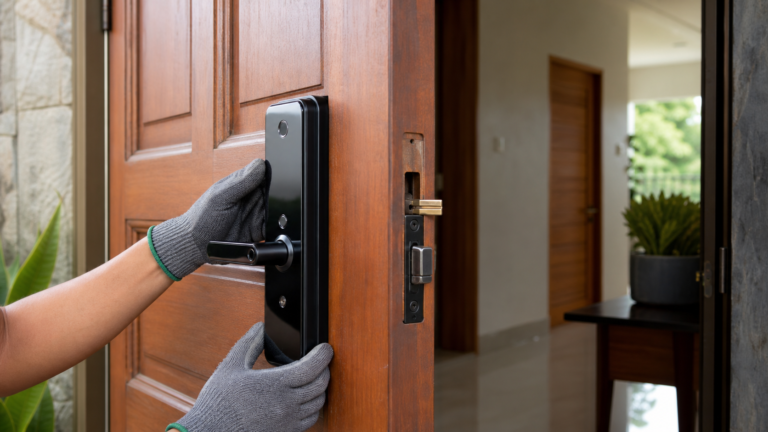
A clean installation should look intentional from both sides of the door. The lock should sit straight, the latch should engage smoothly, the strike plate should align properly, screws should be secure, and no rough cuts or exposed gaps should weaken the door. The installer should test fingerprint enrollment, PIN access, locking, unlocking, auto-lock behavior, and backup entry before turnover.
Homeowners should also receive a short user orientation. That includes how to add and remove users, replace batteries, clean the fingerprint reader, use the app if applicable, and contact support. A smart lock that only one person understands can become a problem when that person is away.
Plan Battery Care And Daily Maintenance
Most fingerprint smart locks are battery-powered, so battery care is part of ownership. Use the recommended battery type, replace batteries before they fail, and do not ignore alerts. Keep the lock clean and dry, especially around the fingerprint reader and keypad. If the door is exposed to rain, afternoon sun, or heavy dust, ask whether the model is suitable for that condition.
Maintenance is simple when the homeowner has a routine. Check that the door closes without rubbing, confirm the latch moves freely, remove users who no longer need access, and review admin settings after family or tenant changes. These small habits help the lock stay convenient instead of becoming another device nobody manages.
Questions To Ask Before Buying
Before choosing a fingerprint smart lock, ask:
- Is my door compatible with this lock without major repair?
- Which access methods are included, and which ones do I actually need?
- How does backup entry work during low battery or app issues?
- Who will install, test, and explain the lock?
- Can users, PINs, cards, or app access be removed easily?
- What support is available after installation?
A clear answer to these questions is more valuable than a long feature list.
When To Ask Smart Locks Pampanga For Help
If you are upgrading a Pampanga home, condo, townhouse, rental, or Airbnb-style property, begin with door compatibility and user needs. Smart Locks Pampanga can assess the door, recommend a practical model, install the lock, and explain daily use so the household is not left guessing.
The right fingerprint smart lock should feel easy after the installer leaves: family members can enter without keys, backup options are understood, batteries are monitored, and access can be changed when household needs change. That is the real buyer’s goal: not just a smarter lock, but a door that works better every day.
FAQs
Are fingerprint smart locks good for Pampanga homes?
Yes, when the lock is compatible with the door, installed correctly, and set up with backup access. The best choice depends on the property type, users, and exposure to weather or daily use.
What should I check before buying a fingerprint smart lock?
Check door material, thickness, alignment, existing lock position, weather exposure, access methods, backup entry, battery care, and after-sales support.
Can a fingerprint smart lock still open if the battery is low?
Many smart locks provide low-battery warnings and backup entry options, but the exact method depends on the model. Ask the installer to demonstrate it during handover.
Is professional installation better than DIY installation?
Professional installation is usually safer for smart locks because door alignment, latch fit, strike placement, and setup affect reliability. Poor installation can make a good lock feel unreliable.
Can access be removed later?
Most smart locks allow admins to remove fingerprints, PINs, cards, or app users. This is important for rentals, helpers, guests, and household changes.