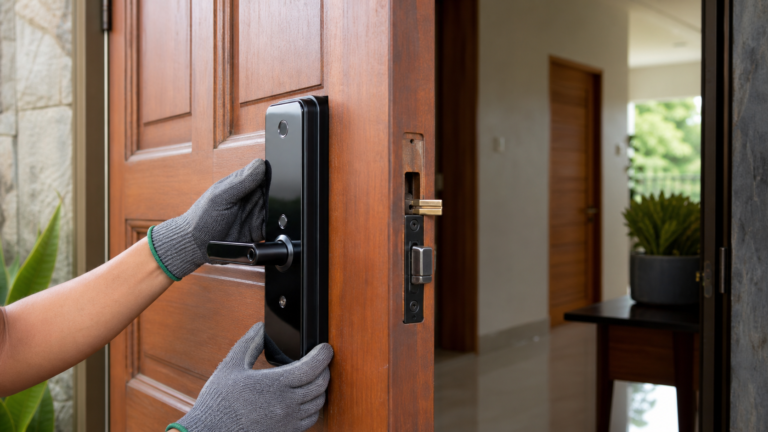
Smart lock buying mistakes usually happen before the installer arrives: the door is not measured, the backup entry is ignored, or the buyer chooses a model because it looks good online. For Pampanga homeowners, a smart lock should fit the actual door, match the way the household comes and goes, and still provide a practical way in during battery, phone, or fingerprint issues.
Before you replace a mechanical lock, use this guide to avoid the most common buying mistakes and plan a cleaner installation.
Mistake 1: Buying Based on Price Alone
A low-cost smart lock can look attractive, but price should not be the only filter. Check the lock body, handle style, deadbolt or latch configuration, app support, backup key option, battery access, and whether the product is suitable for your door material. A cheaper unit that does not fit well can create daily frustration.
Mistake 2: Not Checking Door Compatibility First
Door thickness, backset, latch alignment, frame condition, swing direction, and handle clearance all matter. A smart lock that works on one door may not work cleanly on another. Before choosing a unit, review our smart-lock door compatibility guide so you know what to check.
Mistake 3: Skipping Professional Installation
Smart locks depend on alignment. If the latch rubs, the strike plate is off, or the door sags, the lock may feel unreliable even if the device itself is fine. Professional installation helps confirm fit, mount the hardware cleanly, test every access method, and show the household how to use backup entry.
Mistake 4: Setting Up Only One Access Method
Many homeowners rely only on fingerprint access or only on the app. A better setup includes practical backups: PIN codes for trusted family members, app access for authorized users, and a mechanical key or emergency power method when supported by the model. If fingerprint access is the main reason you are upgrading, compare details in our fingerprint smart locks guide.
Mistake 5: Forgetting Guest and Family Workflows
A smart lock should match real use. A family home in Angeles City may need fingerprints for parents, PINs for helpers, and app access for an owner who travels. A rental unit may need codes that can be changed between guests. For rental planning, see our guide to smart door lock setup for Airbnb and rental properties.
What to Prepare Before Buying
- Photos of the door, frame, existing lock, and handle from both sides.
- Basic measurements such as door thickness and distance from door edge to handle center.
- A list of who needs access: family, tenants, staff, helpers, or guests.
- Your preferred access methods: fingerprint, PIN, card, app, backup key, or a mix.
- Any site conditions such as metal doors, screen doors, gates, weather exposure, or weak mobile signal near the entrance.
Local Installation Advice for Pampanga Homes
Homes, condos, rentals, and small offices in Pampanga often have different door types, from wooden main doors to aluminum-framed entries and metal gates. Do not assume a single smart lock model fits every property. The better approach is to match the lock to the door, then match the access setup to the people who will use it every day.
Smart Locks Pampanga can assess your door, recommend a suitable biometric or app-enabled lock, install it professionally, and walk you through everyday use. Contact us for a practical smart lock recommendation before buying hardware you may need to return or modify.
Quick Decision Rule
A quick fit check before buying is the easiest way to avoid repeat purchases. If you are unsure about the door thickness, latch position, or backup access method, ask for an installation assessment first. Smart Locks Pampanga can help you choose a smart lock that suits the actual door and the people who will use it every day.